 Mungkin kita pernah menemui windows pop up seperti gambar diatas … that’s right bro n sista … Trus solusi nya gimana tuh :
lanjut..
1. Pilih >> Control Panel.
2. Pilih >> Administrative Tools.
3. Pilih >> Services.
4. Pilih >> Computer Browser kemudian klik kanan.
5. Pilih >> Start.
Atau bisa juga melakukan double klik sehingga muncul window properties seperti di bawah ini.
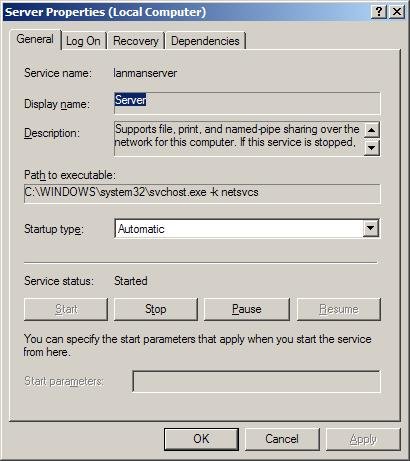
Pada Service status ada pilihan :
Start
Stop
Pause
Resume
Untuk memulai service, klik aja yang >> start
Silahkan mencoba ….
No comments:
Post a Comment